1. Drag Snaptitle into Applications
Open Snaptitle.dmg from your Downloads. In the window that appears, drag the Snaptitle icon onto the Applications folder.
 Snaptitle
2. Open it, then click Done
Open Snaptitle from your Applications folder. macOS shows a warning that it could not check the app. Click Done. Don’t click Move to Bin.
“Snaptitle” Not Opened
Apple could not verify “Snaptitle” is free of malware that may harm your Mac or compromise your privacy.
3. Click Open Anyway
Open System Settings from the Apple menu. Click Privacy & Security in the sidebar, scroll down to Security and click Open Anyway next to Snaptitle. Enter your Mac password, then click Open.
Security
Then enter your Mac password and click Open.
You only do this once. From now on Snaptitle opens like any other app, including after updates.
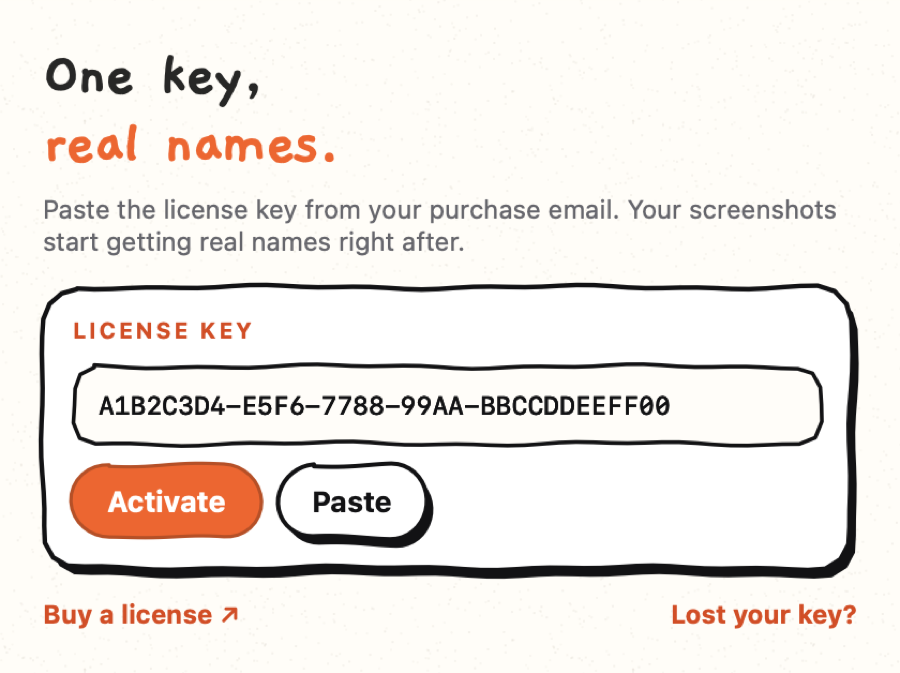
4. Paste your license key
Click the Snaptitle icon in the menu bar. Paste the license key from your purchase email (it’s from Dodo Payments) and click Activate. Then take a screenshot: it gets a real name about a second later.
Stuck?
- No Open Anyway button? Open Snaptitle once more from Applications, then look again in Privacy & Security. The button shows up for about an hour after the warning.
- Clicked Move to Bin by mistake? Download Snaptitle again from snaptitle.app and start at step 1. Your license key still works.
- Comfortable with Terminal? This does steps 2 and 3 in one go:
xattr -dr com.apple.quarantine /Applications/Snaptitle.app - Still stuck? Write to us and we’ll help.